Every tool a writercould ask for.
From distraction-free drafting to intelligent revision, character bibles to world architecture. Everything lives in one place, built for the way you actually write.
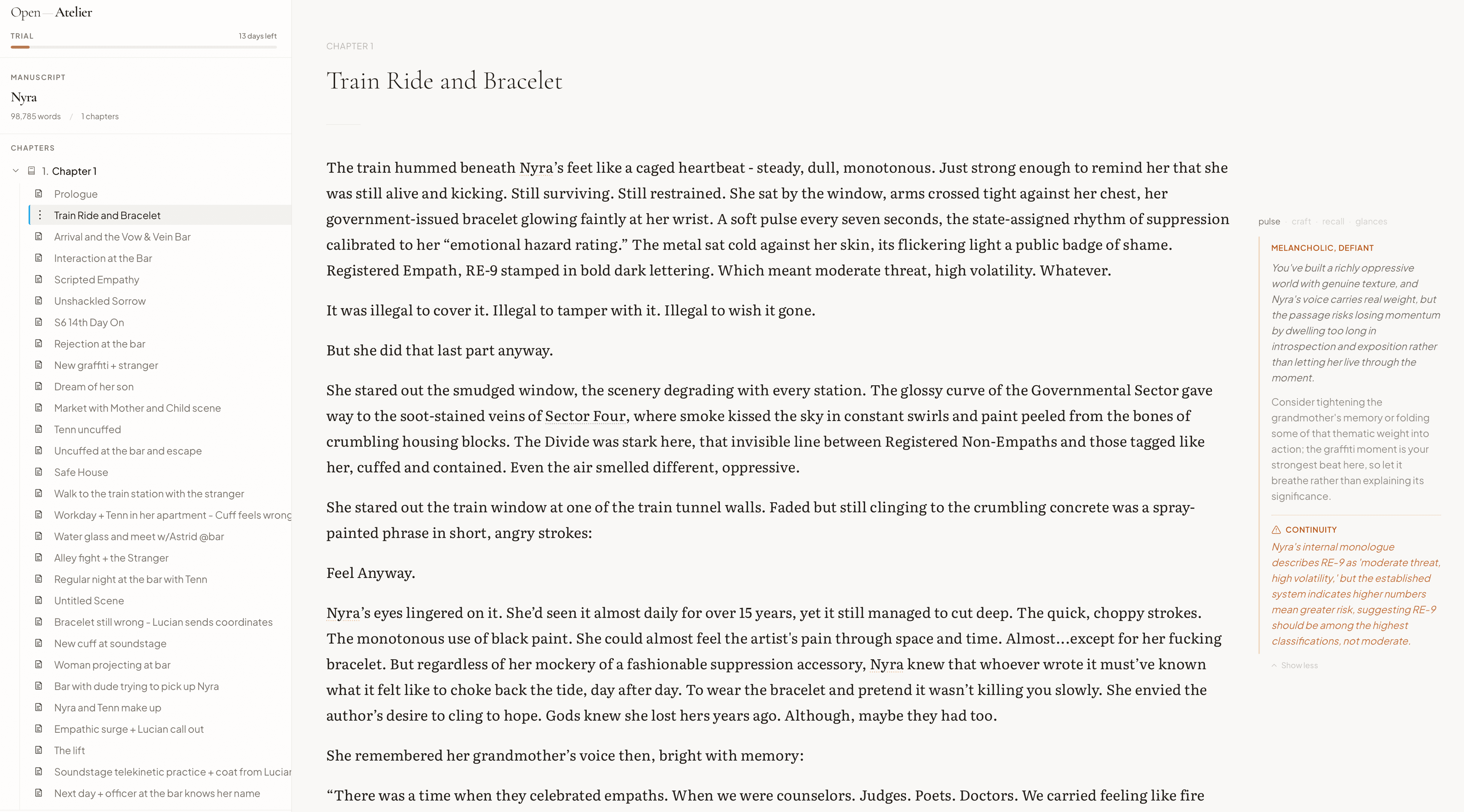
A page that gets out of the way.
A three-pane manuscript view: chapters down the left, prose at the center, marginalia on the right. Structure, sentence, and note, all within one glance.
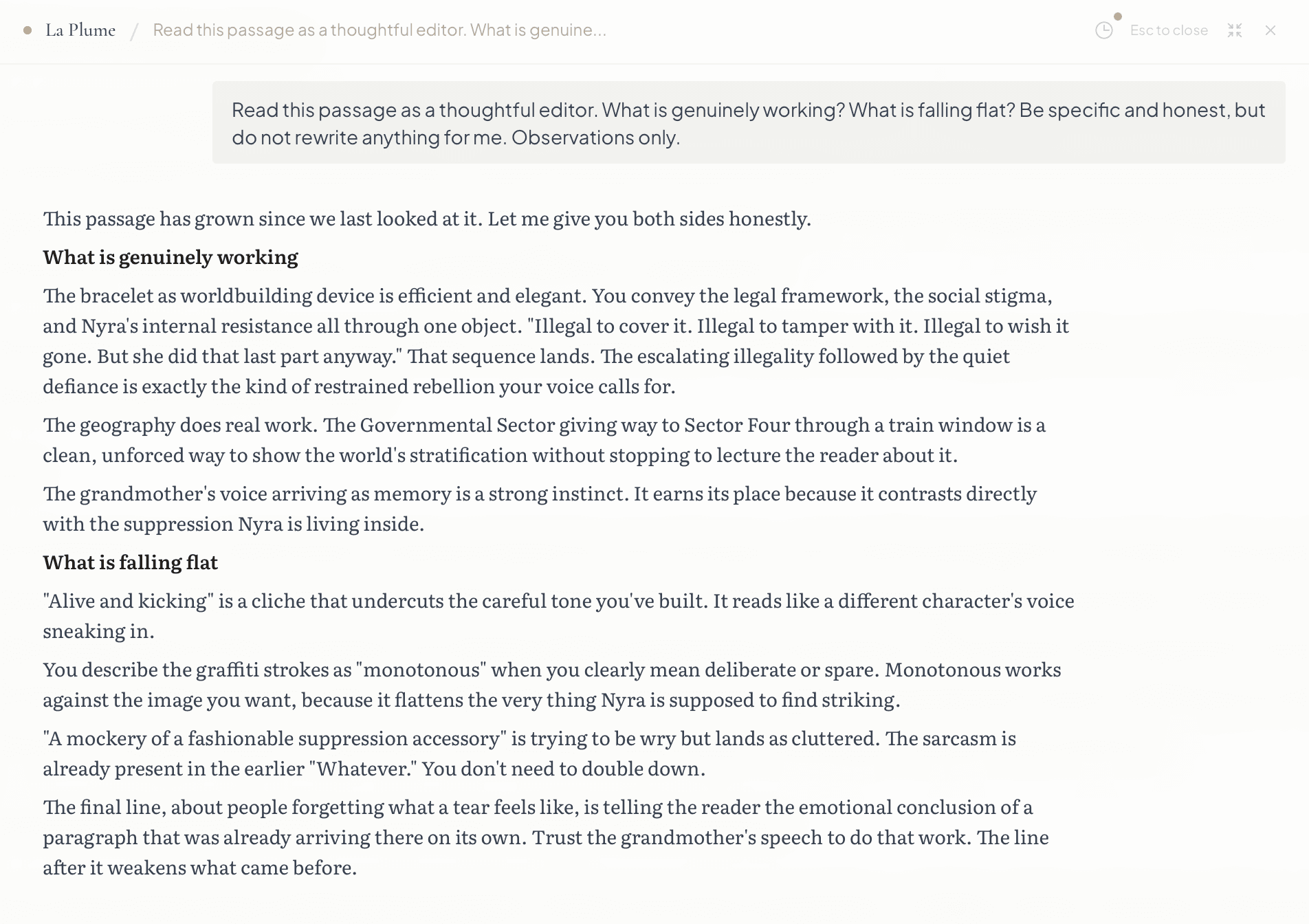
The editor in the margin.
A second reader who answers the questions writers actually ask of their drafts. What is genuinely working in this passage, and what is falling flat. The reading lands as pen marks where a sharp editor would set them.
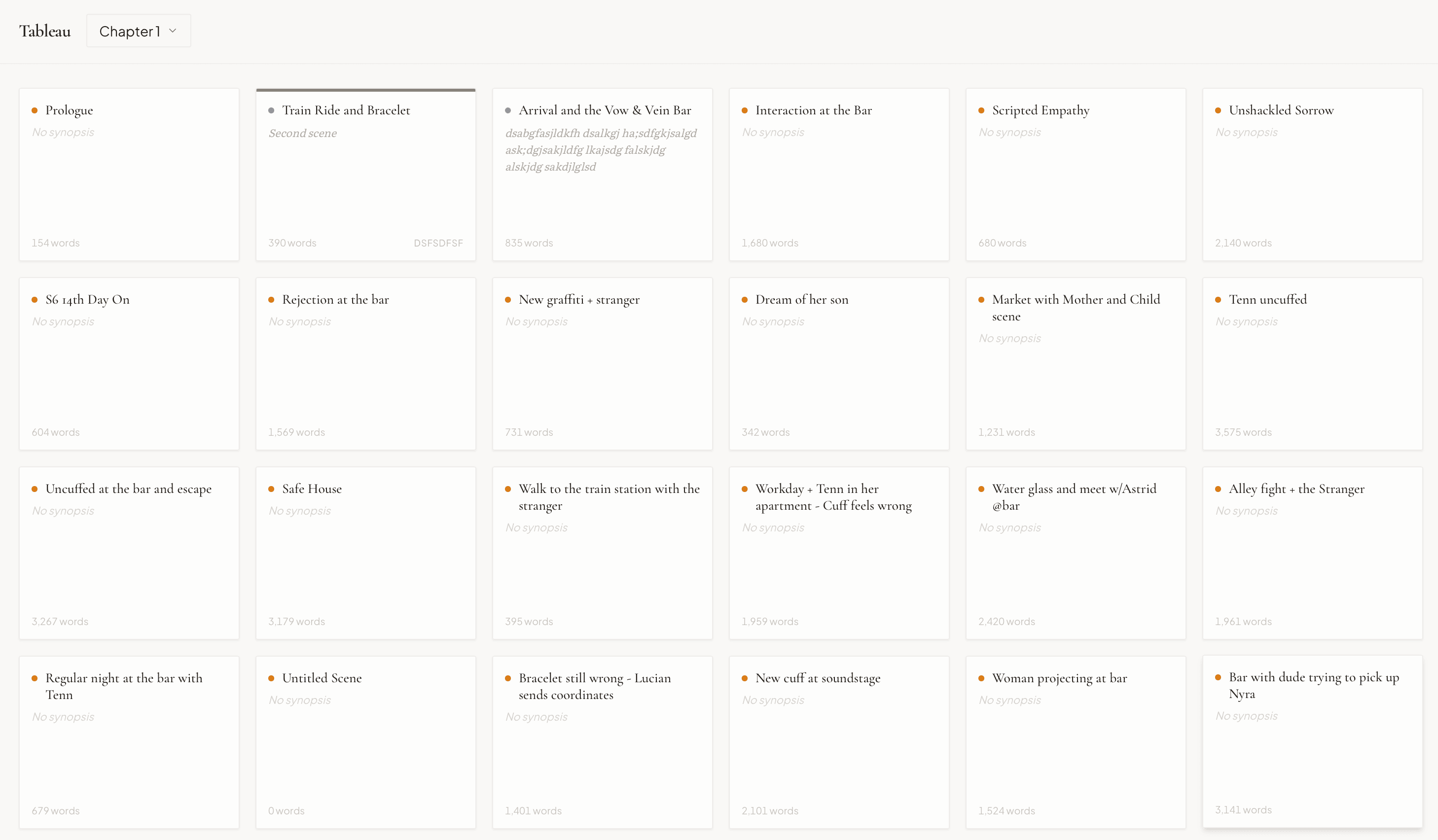
The chapter as a board of scenes.
Each scene becomes a card with a title, a word count, a status, and any bookmarks you have left for yourself. Drag, mark, count, and rearrange before the prose is heavy enough to resist you.
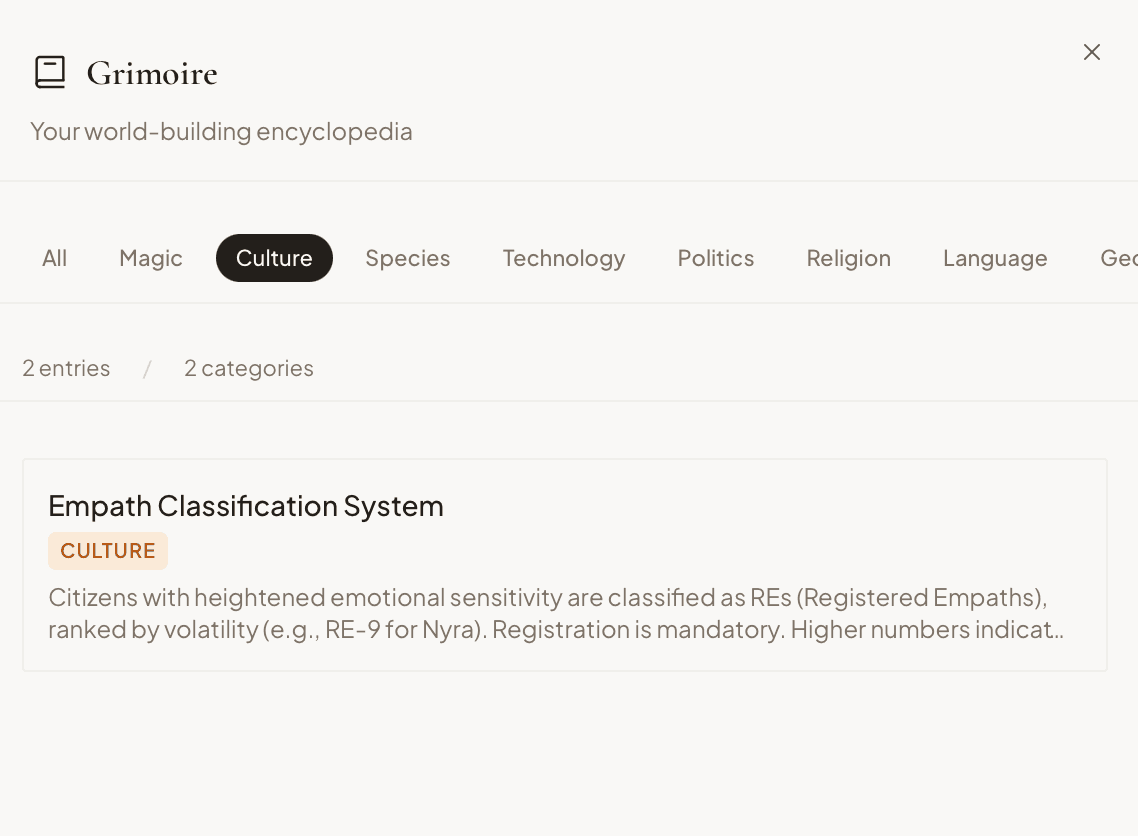
Your worldbuilding, bound.
Eight categories, from magic and species to language and geography, each with its own entries and cross-references. A reference work that grows alongside the book it serves.
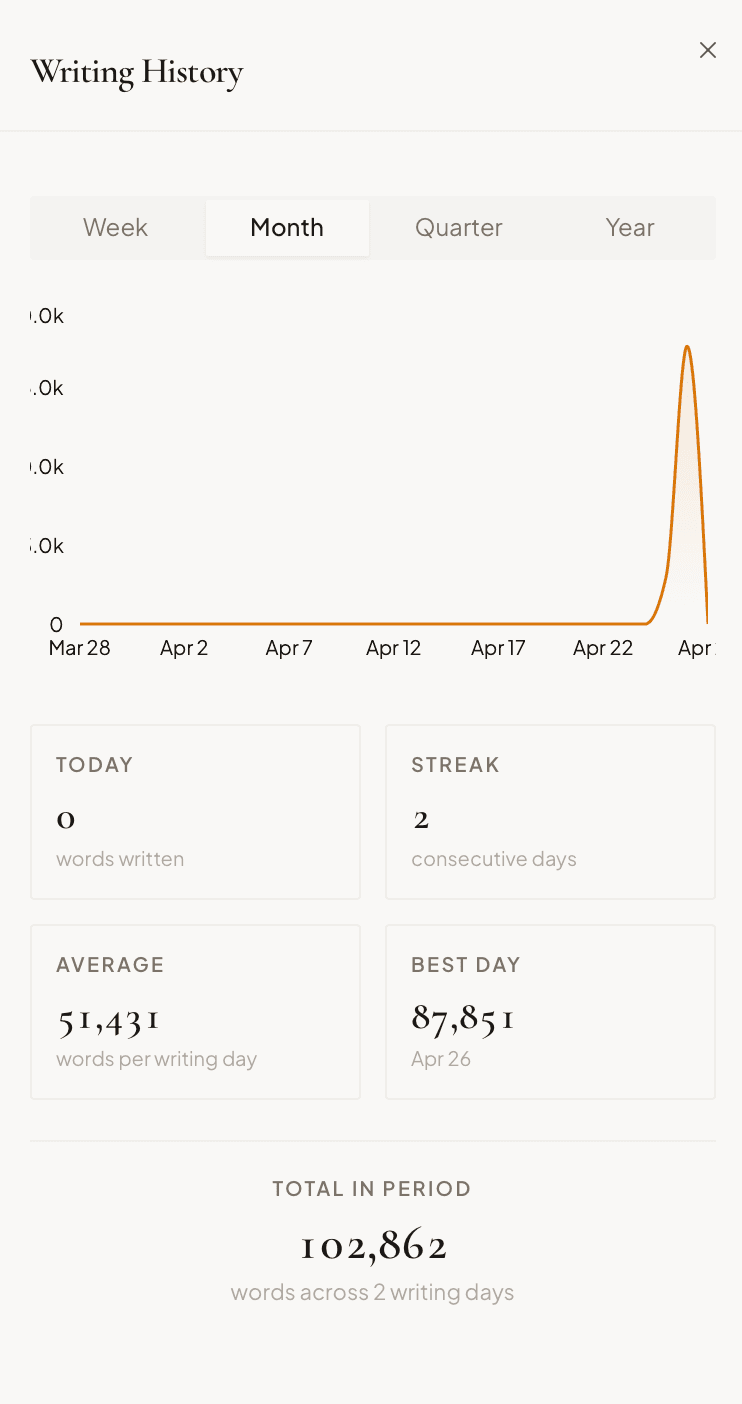
Your year of words, plotted.
A monthly chart of what was written, with streaks, totals, and a quiet record of the best day. A page you can return to when the work feels invisible.
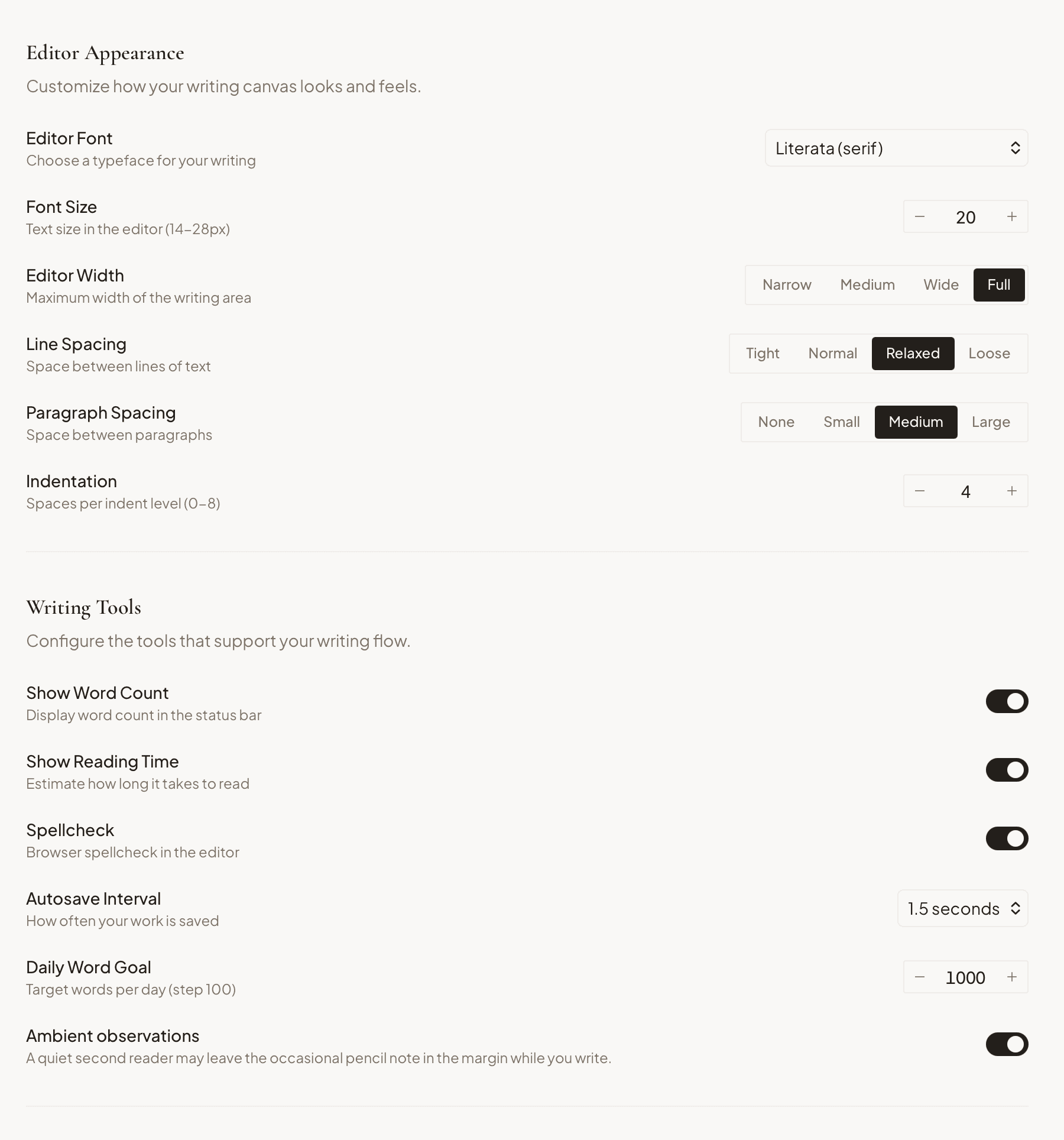
Tune the room before the writing.
Editor font, size, line height, line width, autosave, a daily word goal, and an option for ambient observations along the margin. Settings made for writers, not preference panels.
The details that matter
Tableau
A visual overview of your scenes as cards. See synopses, status, and labels at a glance. Drag to restructure.
Drag-and-Drop
Reorder scenes within chapters or move them across chapters. Restructure your manuscript fluidly.
Find & Replace
Search across every scene in your manuscript. Replace a character name, fix a spelling, all at once.
Writing History
Daily word counts charted over time. Streaks, averages, and your best day. See your craft as a practice.
Version History & Diff
Named snapshots with side-by-side comparisons. See exactly what changed between revisions.
Scrivenings
Read and edit an entire chapter as one continuous flow. Scene boundaries fade away when you need them to.
Scene Status & Labels
Track each scene from outline to final. Color-coded labels for plotlines, POV, or whatever system fits your process.
Focus Modes
Typewriter mode, full-screen drafting, and reading view. Shape the environment to your rhythm.
Ready to begin?
14 days free. Every feature. No credit card required.